

Pass statuses
The status badge next to the cardholder’s name shows the pass’s current state:
Pre-Active, Active, and Inactive shift automatically as the customer adds or removes the pass from their wallet. Voided, revoked, and expired are final — a pass in one of these statuses can’t return to active.
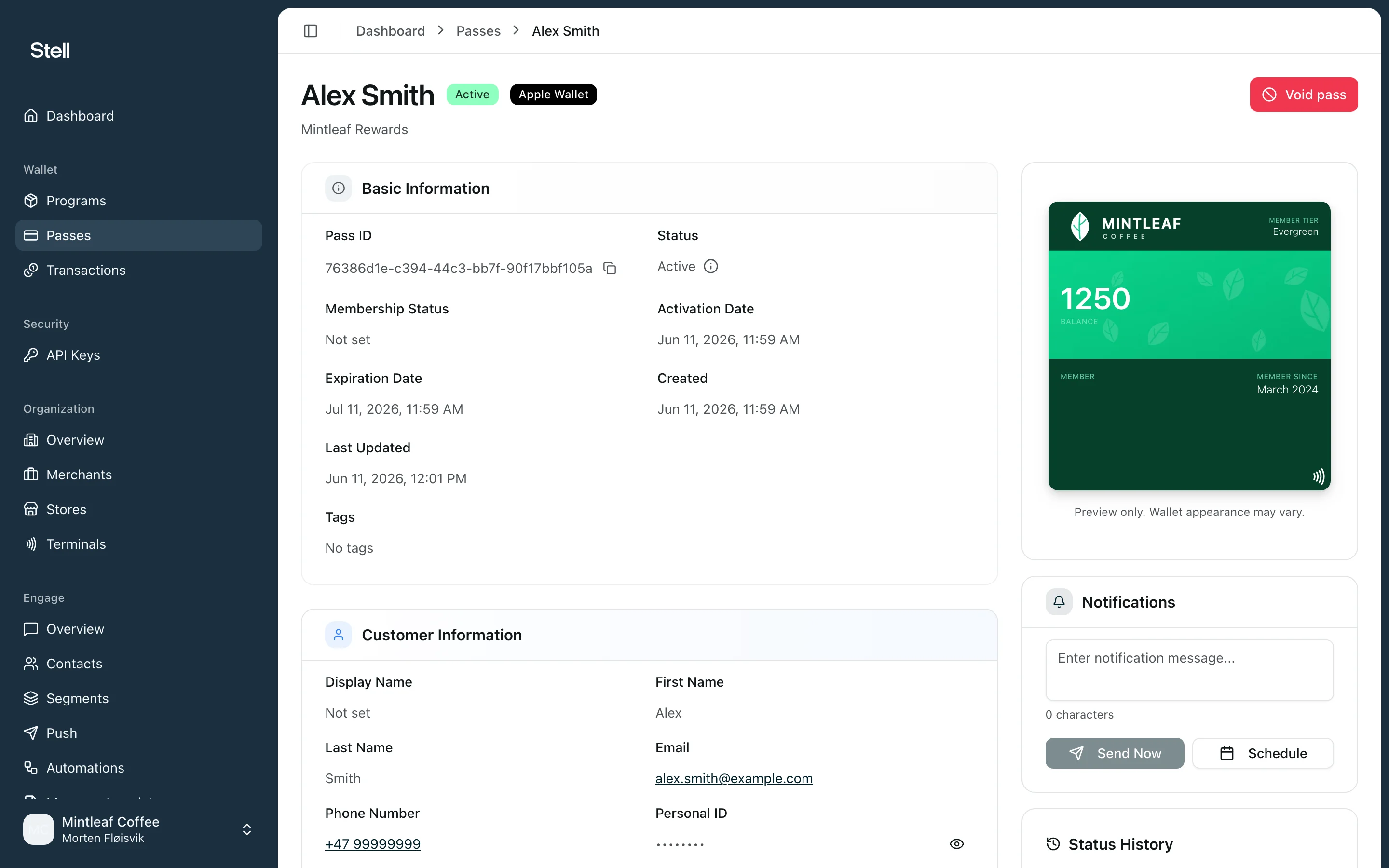
The pass detail page
Open any pass from the passes list to see:- Pass and customer info — the pass ID, wallet, dates, and the customer details provided at issue time.
- Live preview — how the pass currently looks in the customer’s wallet, based on your pass template.
- Status timeline — every status change the pass has been through, in order.
- Wallet installations — the devices where the pass has been added to a wallet. This tells you whether the customer actually has the pass on their phone.
- Transactions — every time this pass was used at one of your stores, linking to the full transaction detail.
- Send a notification — push a message to the wallets where this pass is installed.
Void a pass
Void a pass when it should stop working — for example if it was issued by mistake or the customer’s membership ended.- Open the pass from the Passes list.
- Click Void pass.
- In the confirmation dialog, click Void pass to confirm.
The Void pass button is only shown for passes that can still be voided — it’s hidden once a pass is already voided, revoked, or expired.