

Send a message
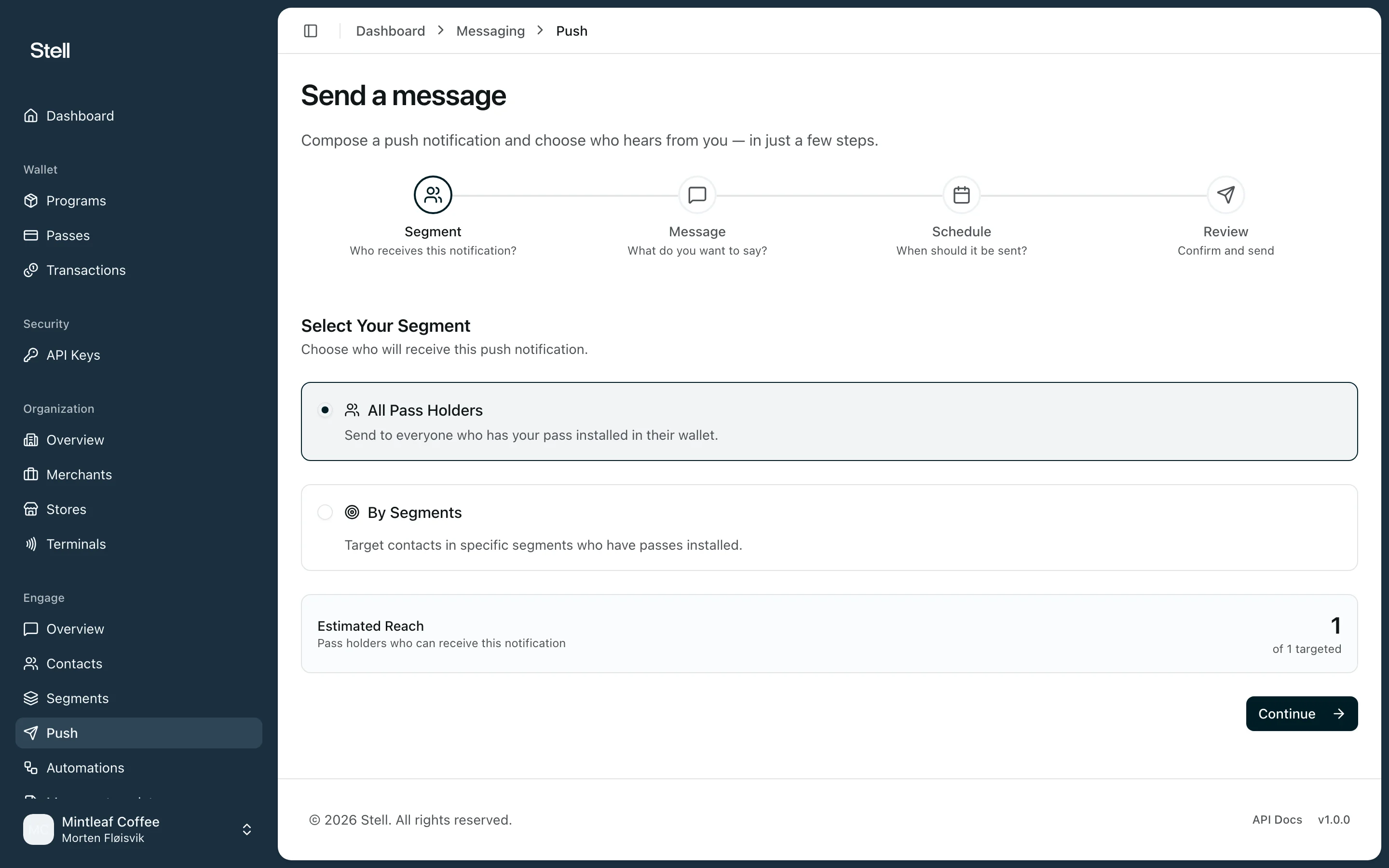
Creating a campaign is a four-step flow: Segment → Message → Schedule → Review.1
Choose your audience
Pick All Pass Holders to reach everyone with your pass installed, or By Segments to target specific segments. The Estimated Reach card shows how many pass holders can actually receive the message.
2
Write the message
Up to 150 characters. Use the Insert variable picker to personalize — for example a first name or points balance — and watch the preview show how the notification lands on a customer’s lock screen.
3
Schedule delivery
- Send Immediately — notifications go out right away.
- Send at a Scheduled Time — pick a date, time, and timezone.
- Send Recurring — repeat daily, weekly, or monthly from a start date.
4
Review and send
Check the audience, message, and schedule summary, give the campaign a name, and click Send Campaign (or Schedule Campaign). You can also Save as Draft to finish later.
Following up
Open a campaign to see its details and delivery stats — how many notifications were delivered and the audience, message, and schedule it ran with. Sent campaigns are read-only; every individual notification also appears in the notification history.Tips
- Personalized messages perform better —
Hi {{firstName}}beats a generic blast. - Scheduled sends respect the timezone you pick, so a 09:00 send arrives at 09:00 local to that timezone, not to each recipient.
- Reach only counts customers with the pass installed. If reach looks low, your customers may have Pre-Active or Inactive passes.