Social media reaches the customers you can’t email — followers, locals, people tagged by friends. Since you can’t identify who’s looking, every social post leads to the same place: your enrollment link, where the enrollment flow takes anyone from interested to pass-in-wallet in about 30 seconds. The one-tap wallet button doesn’t apply here; it needs a known customer. Most platforms make links awkward in feed posts, so plan the route to the enrollment link per format:
FormatHow to link
Instagram / Facebook feed post”Link in bio” — put the enrollment link in your profile, or use your bio link tool
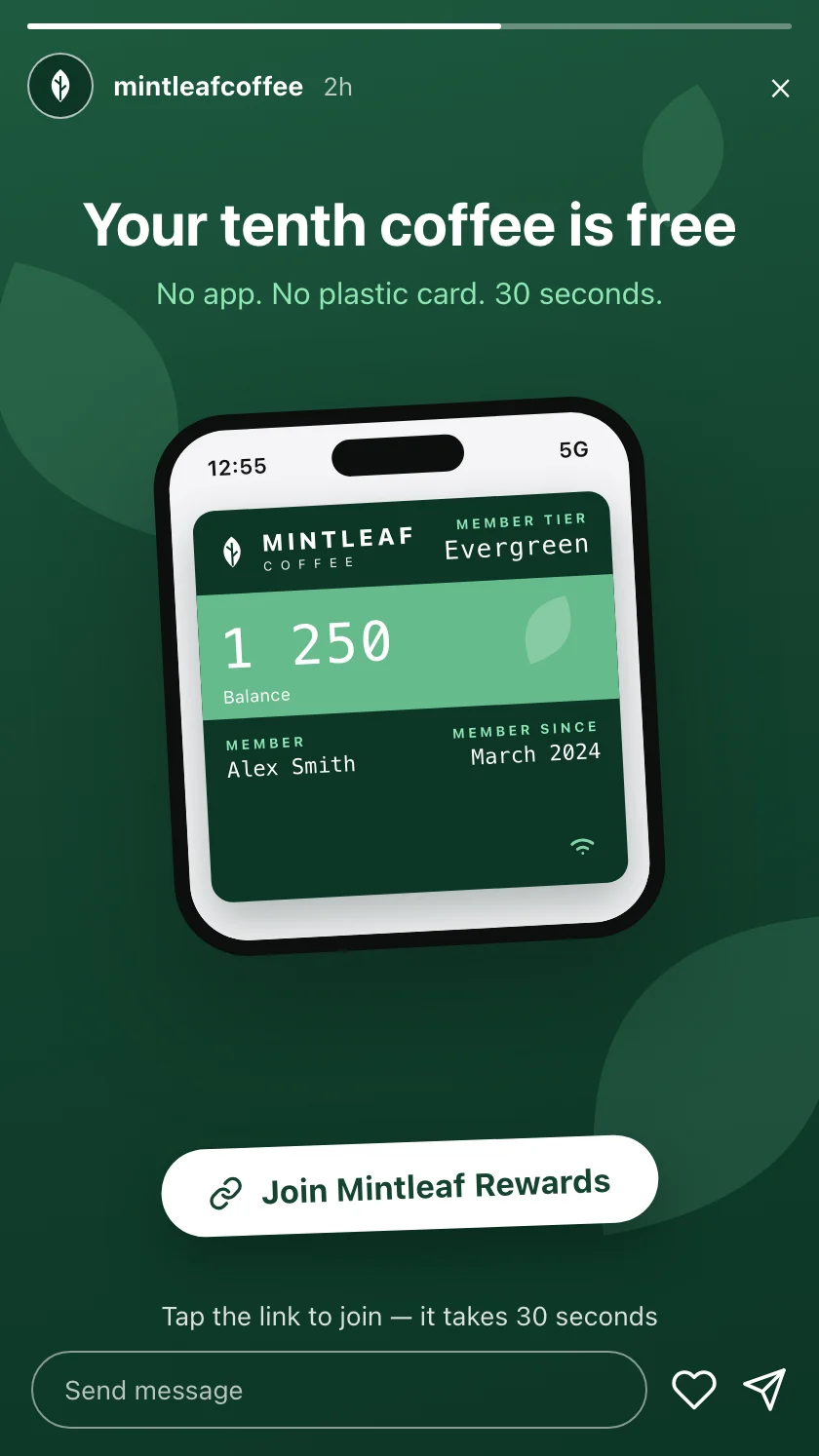
Instagram / Facebook storyLink sticker straight to the enrollment link
Short video (TikTok, Reels)Link in bio, plus the call to action spoken and on screen
X, LinkedInThe enrollment link inline in the post
Skip QR codes in feed posts. The viewer is already holding the phone they would scan with — a tappable link always wins on a screen. QR codes belong where the customer’s phone is not the medium: print and in-store screens.

The announcement

Lead with the benefit, make the friction-free part explicit (“no app”), and post it once the other channels are live — everyone who clicks should be able to join on the spot. Example copy for Mintleaf Coffee, by platform style:
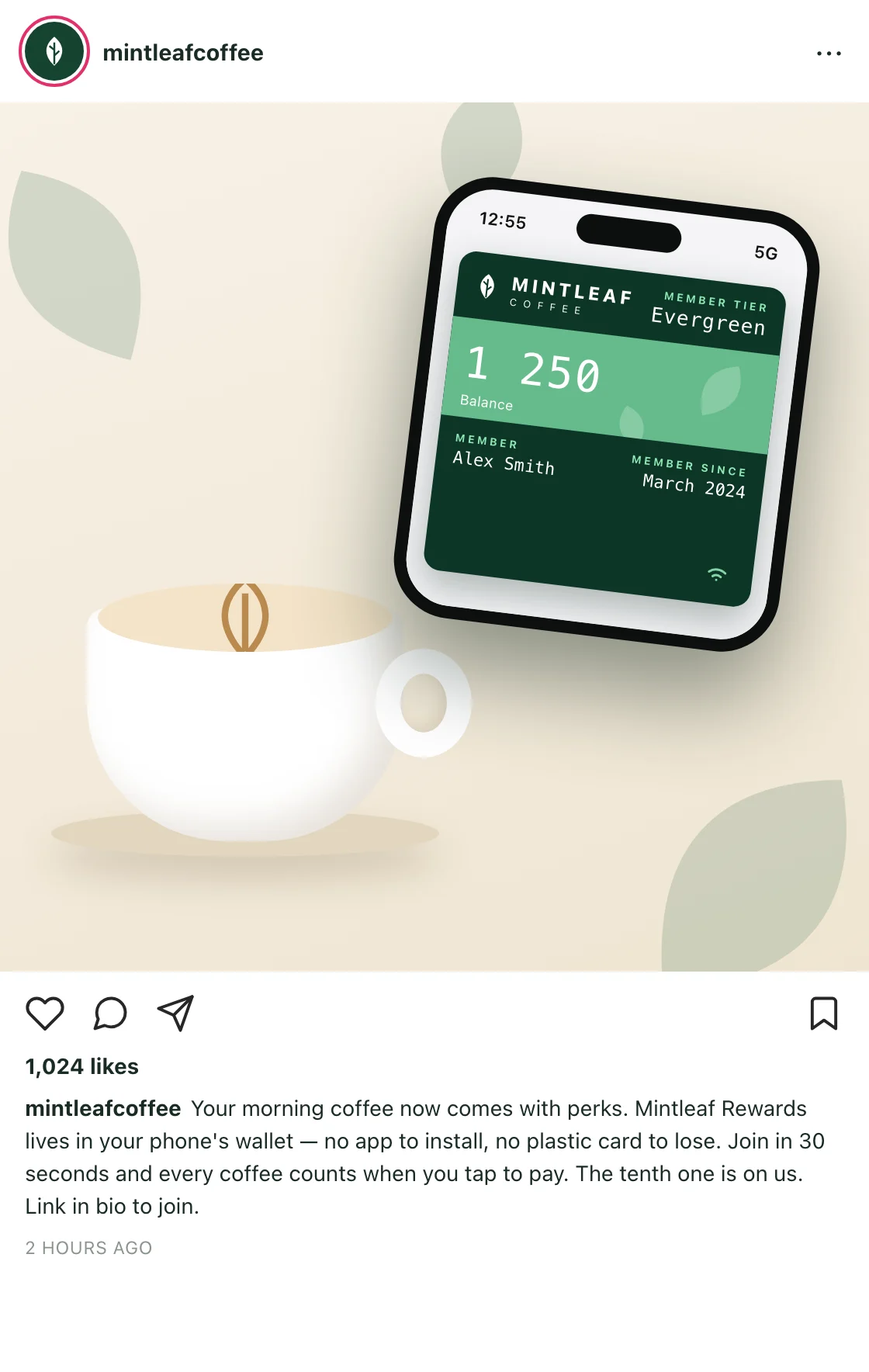
Visual-first: the strongest image is the pass itself on a phone, held somewhere unmistakably yours.
Your morning coffee now comes with perks.

Mintleaf Rewards lives in your phone's wallet — no app
to install, no plastic card to lose. Join in 30 seconds
and every coffee counts when you tap to pay. The tenth
one is on us.

Link in bio to join.
Image direction: a hand holding an iPhone with the Mintleaf Rewards pass open, latte in the background.

Keeping it going

The announcement gets you launch-week joins; steady posts keep the program visible all year. Themes that keep working, with a Mintleaf-style hook for each:
ThemeExample hook
Milestone”Member number 1,000 just got their free flat white. Welcome aboard, all of you.”
Reward spotlight”Reminder: stamp number ten is a free coffee. Any coffee. Yes, the big one too.”
How it works”Did you know? Your pass counts your coffees automatically when you tap to pay — there’s nothing to scan.”
Behind the counter”Maria has personally handed out 200 free tenth-coffees. She’d like to make it 201.”
Seasonal”Pumpkin season is here — and yes, it counts toward your free coffee.”
Each post carries the same quiet footer: a line on how to join, link in bio.

Badges and imagery

In social imagery, prefer showing the pass on a phone over the wallet badges — the pass carries your brand, and a feed post isn’t a place anyone can tap a badge anyway. If you do include an Add to Apple Wallet or Add to Google Wallet badge in a graphic, the usual rules apply: official artwork, unmodified, with room around it — see using the wallet badges.
Mintleaf Rewards Instagram announcement mockup: a phone showing the green Mintleaf pass held over a latte, with the caption beneath
Mintleaf Rewards Instagram story mockup with a Join now link sticker over a photo of the pass on a phone