> ## Documentation Index
> Fetch the complete documentation index at: https://docs.getstell.com/llms.txt
> Use this file to discover all available pages before exploring further.
# Website and my page
> Invite new visitors on your public site and give signed-in members a one-tap button on their account page
Your website serves two audiences, and each gets its own tool. Anonymous visitors — people browsing your menu or finding your opening hours — get the **enrollment link**, which takes them through the short [enrollment flow](/enrollment/how-enrollment-works). Signed-in members on your "my page" get the **wallet button widget**: you already know who they are, so one tap on **Add to Apple Wallet** or **Add to Google Wallet** issues their pass with no form at all.
## Your public site
New visitors won't go looking for your program — put it where they already are:
* **Homepage banner** — a short strip or section announcing the program, linking to the program page or straight to the enrollment link.
* **A dedicated program page** — the place every other channel can link to, and the one spot that explains the program properly.
* **Footer link** — cheap, permanent visibility on every page.
* **Order confirmation page** — if you sell online, the post-purchase moment is ideal: the customer just demonstrated they're coming back.
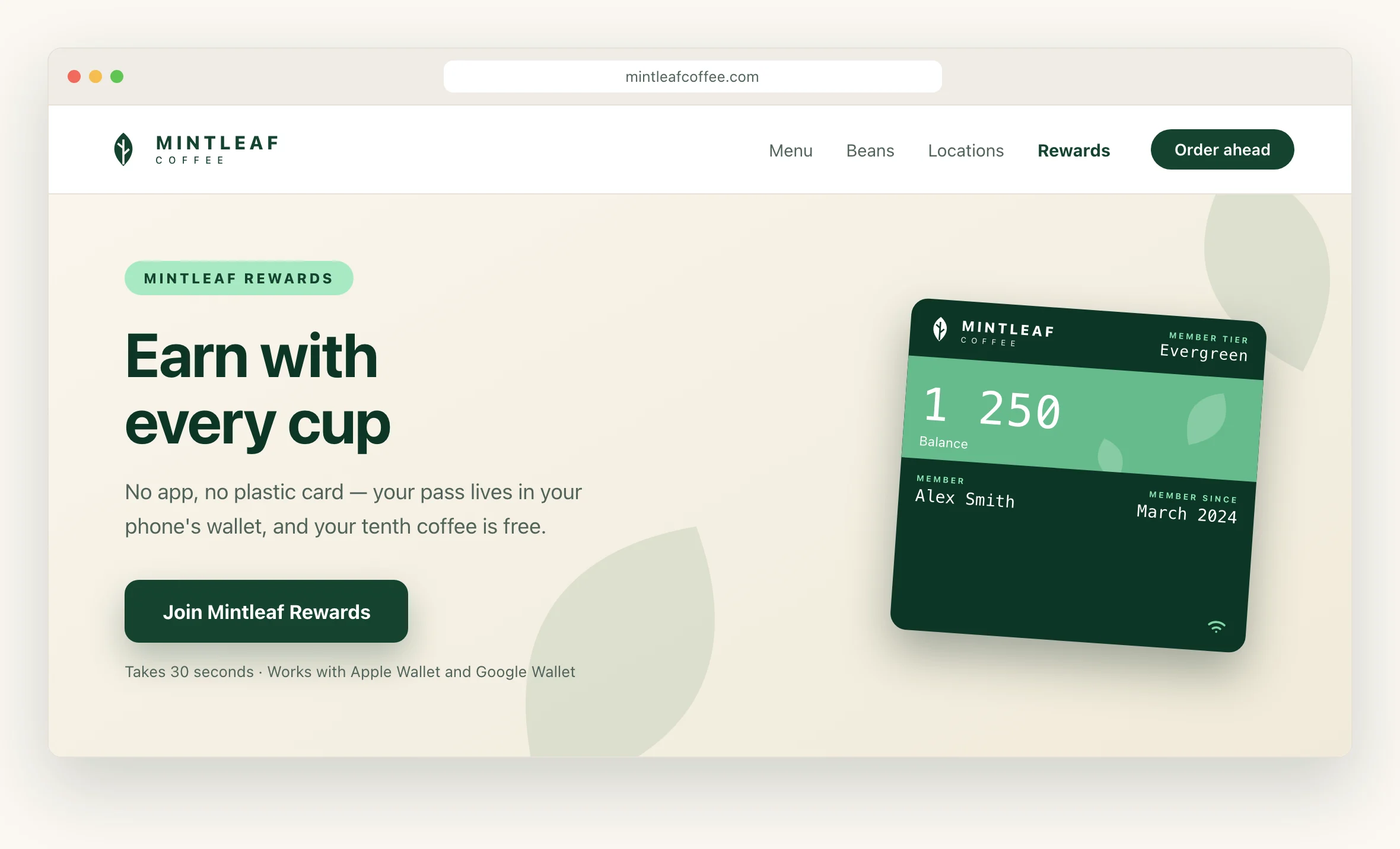
A program page doesn't need much. Mintleaf's version:
> **Earn with every cup**
>
> Mintleaf Rewards lives in your phone's wallet — no app, no plastic card. Every coffee counts automatically when you tap to pay, and your tenth is free.
>
> 1. **Join** — 30 seconds, right from your phone
> 2. **Tap to pay** like you always do — your pass counts each visit
> 3. **Enjoy** your free tenth coffee
>
> \[ Join Mintleaf Rewards ]
>
> *Questions? It works with Apple Wallet and Google Wallet, and there's nothing to install.*
One headline, the benefit, three steps, one button to the enrollment link. A short FAQ below it (no app needed, works on iPhone and Android, what happens with my details) catches the hesitant.
 ## My page: one tap for signed-in members
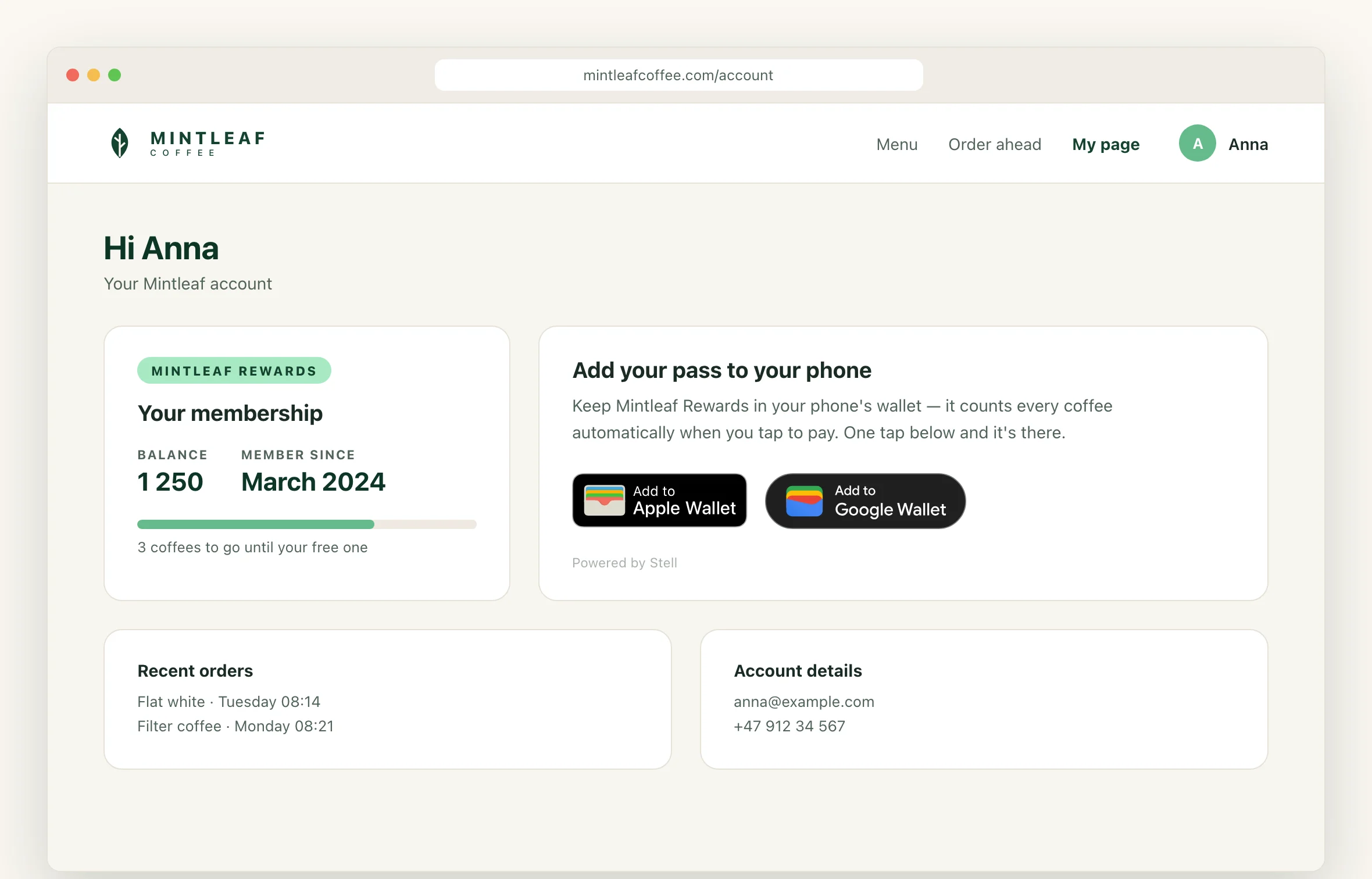
The signed-in member page is the best home for the [wallet button widget](/enrollment/wallet-button-widget#on-your-site). The member is identified, so the widget issues their pass on a single tap — no form, no typing, no drop-off. Setup, options, and the embed snippet are all on the widget page; what's left is placement:
* **Account dashboard** — the first thing a member sees after signing in.
* **A "my benefits" or "my membership" section** — where members already look for perks.
* **Post-purchase page** — they're signed in, they just bought something, and the pass would have counted it.
Don't hide the button behind a separate "get your pass" sub-page. The fewer clicks between signed-in and pass-in-wallet, the more passes get added.
## My page: one tap for signed-in members
The signed-in member page is the best home for the [wallet button widget](/enrollment/wallet-button-widget#on-your-site). The member is identified, so the widget issues their pass on a single tap — no form, no typing, no drop-off. Setup, options, and the embed snippet are all on the widget page; what's left is placement:
* **Account dashboard** — the first thing a member sees after signing in.
* **A "my benefits" or "my membership" section** — where members already look for perks.
* **Post-purchase page** — they're signed in, they just bought something, and the pass would have counted it.
Don't hide the button behind a separate "get your pass" sub-page. The fewer clicks between signed-in and pass-in-wallet, the more passes get added.
 ## Which entry point where
| Visitor | What to give them |
| ------------------------------------- | ---------------------------------------------------- |
| Anonymous visitor on your public site | The enrollment link (banner, program page, footer) |
| Signed-in member on my page | The wallet button widget — one tap, no form |
| Email recipient | The email wallet links — see [email](/promote/email) |
## Badges on the web
On my page, the widget renders official, correctly localized wallet badges for you — nothing to get wrong. If you place static badge images elsewhere on your site, use the official SVG artwork and follow [the badge rules](/promote/overview#using-the-wallet-badges).
## Which entry point where
| Visitor | What to give them |
| ------------------------------------- | ---------------------------------------------------- |
| Anonymous visitor on your public site | The enrollment link (banner, program page, footer) |
| Signed-in member on my page | The wallet button widget — one tap, no form |
| Email recipient | The email wallet links — see [email](/promote/email) |
## Badges on the web
On my page, the widget renders official, correctly localized wallet badges for you — nothing to get wrong. If you place static badge images elsewhere on your site, use the official SVG artwork and follow [the badge rules](/promote/overview#using-the-wallet-badges).