> ## Documentation Index
> Fetch the complete documentation index at: https://docs.getstell.com/llms.txt
> Use this file to discover all available pages before exploring further.
# Social media
> Post ideas and example copy for announcing your program and keeping it visible
Social media reaches the customers you can't email — followers, locals, people tagged by friends. Since you can't identify who's looking, every social post leads to the same place: your **enrollment link**, where the [enrollment flow](/enrollment/how-enrollment-works) takes anyone from interested to pass-in-wallet in about 30 seconds. The one-tap wallet button doesn't apply here; it needs a known customer.
## Where the link goes
Most platforms make links awkward in feed posts, so plan the route to the enrollment link per format:
| Format | How to link |
| ------------------------------ | ---------------------------------------------------------------------------------- |
| Instagram / Facebook feed post | "Link in bio" — put the enrollment link in your profile, or use your bio link tool |
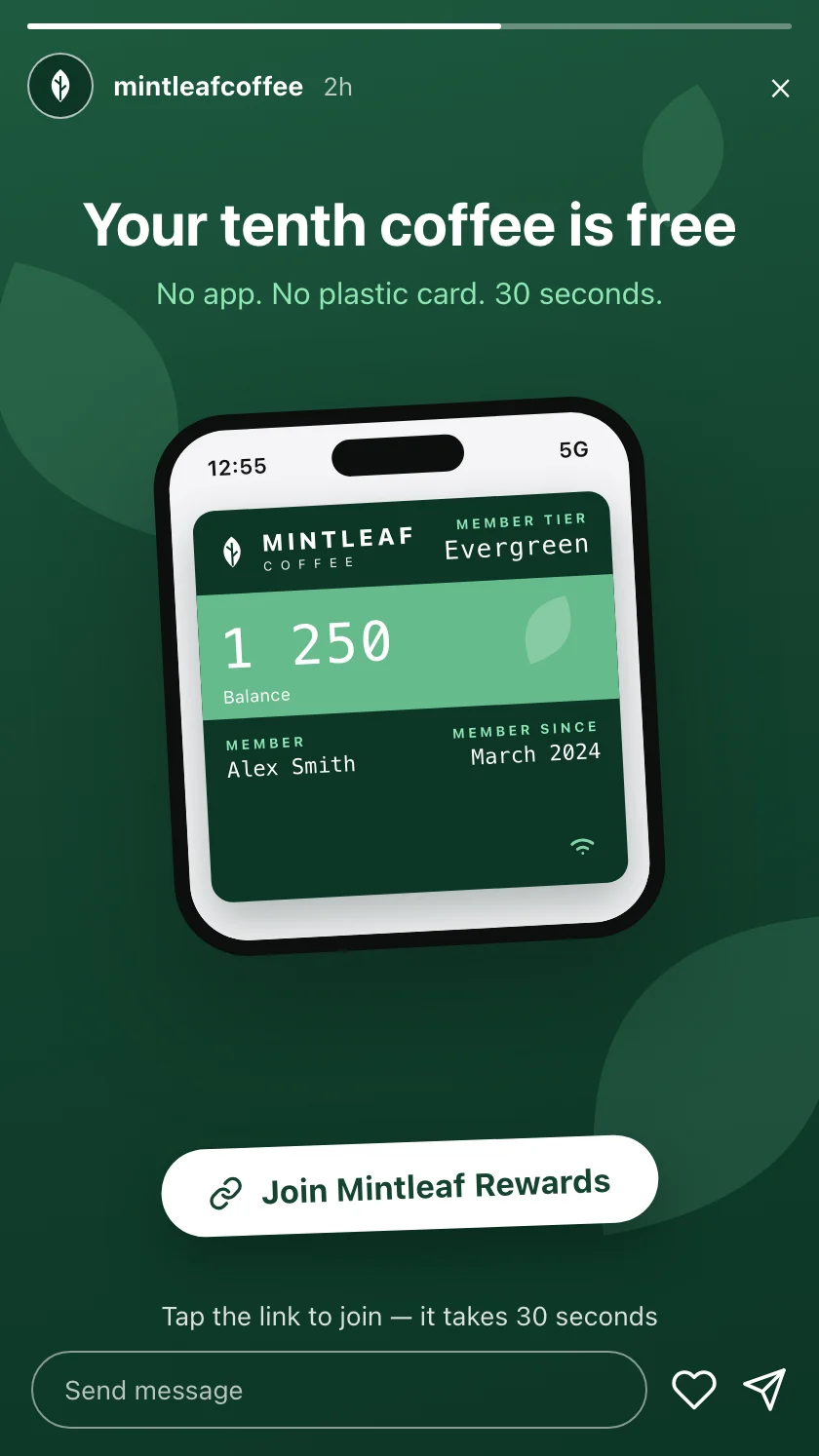
| Instagram / Facebook story | Link sticker straight to the enrollment link |
| Short video (TikTok, Reels) | Link in bio, plus the call to action spoken and on screen |
| X, LinkedIn | The enrollment link inline in the post |
Skip QR codes in feed posts. The viewer is already holding the phone they would scan with — a tappable link always wins on a screen. QR codes belong where the customer's phone is *not* the medium: [print and in-store screens](/promote/in-store).
## The announcement
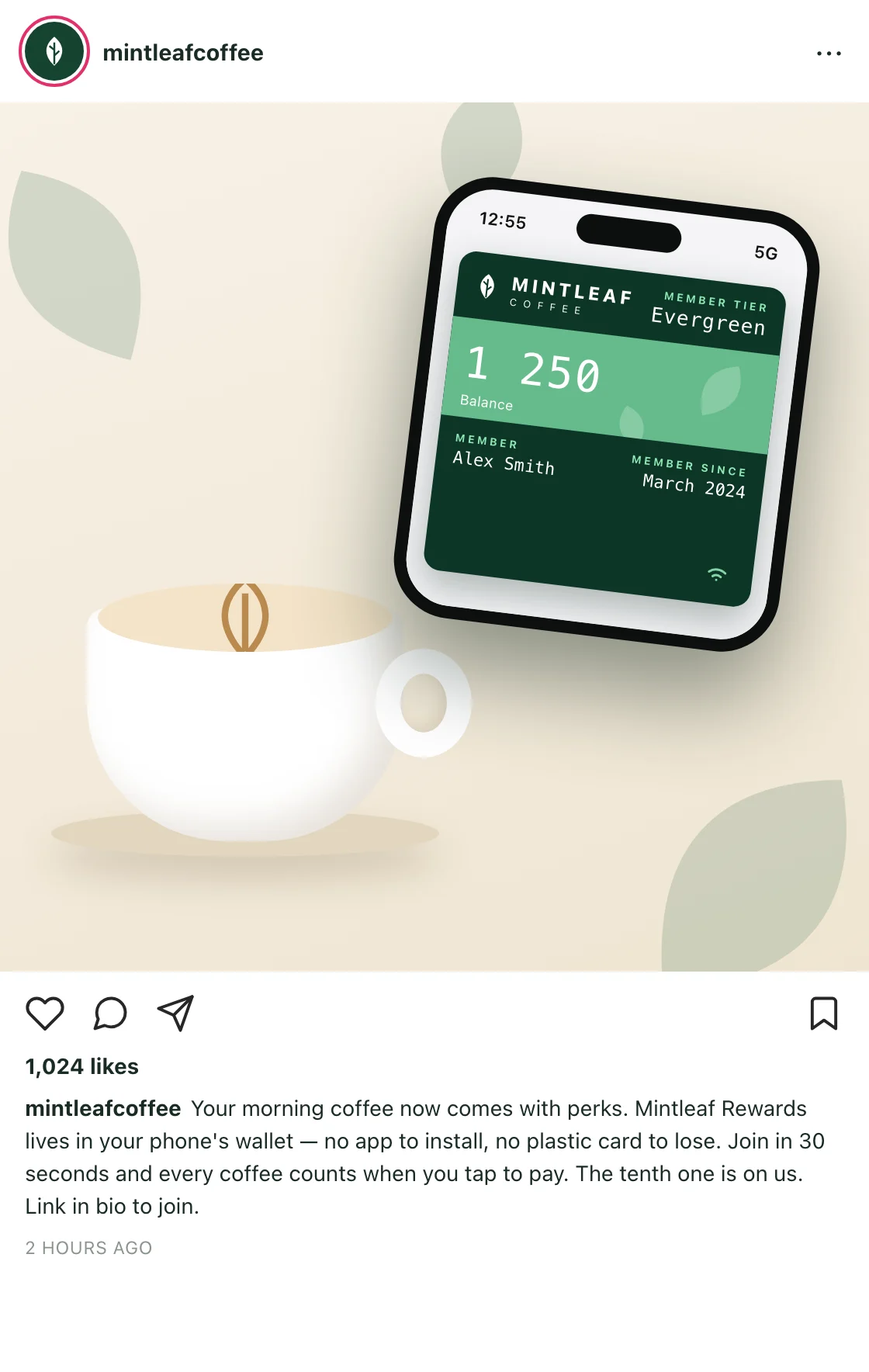
Lead with the benefit, make the friction-free part explicit ("no app"), and post it once the other channels are live — everyone who clicks should be able to join on the spot. Example copy for Mintleaf Coffee, by platform style:
Visual-first: the strongest image is the pass itself on a phone, held somewhere unmistakably yours.
```text theme={null}
Your morning coffee now comes with perks.
Mintleaf Rewards lives in your phone's wallet — no app
to install, no plastic card to lose. Join in 30 seconds
and every coffee counts when you tap to pay. The tenth
one is on us.
Link in bio to join.
```
Image direction: a hand holding an iPhone with the Mintleaf Rewards pass open, latte in the background.
A 15-second clip beats any explanation. Concept for TikTok or Reels:
```text theme={null}
Scene 1 (3s) — Barista slides a flat white across the counter.
Scene 2 (5s) — Customer taps their phone to pay. Cut to the
pass in the wallet: the stamp count ticks up.
Scene 3 (4s) — On-screen text: "No app. It just works when
you pay."
Scene 4 (3s) — "Mintleaf Rewards — link in bio."
```
The moment that sells it is the stamp counting up by itself — no scanning, no extra step.
Shorter, link inline:
```text theme={null}
Mintleaf Rewards is live. Your loyalty card, but in your
phone's wallet — no app, no plastic, and every coffee
counts automatically when you tap to pay.
Join in 30 seconds:
```
## Keeping it going
The announcement gets you launch-week joins; steady posts keep the program visible all year. Themes that keep working, with a Mintleaf-style hook for each:
| Theme | Example hook |
| ------------------ | ---------------------------------------------------------------------------------------------------------- |
| Milestone | "Member number 1,000 just got their free flat white. Welcome aboard, all of you." |
| Reward spotlight | "Reminder: stamp number ten is a free coffee. Any coffee. Yes, the big one too." |
| How it works | "Did you know? Your pass counts your coffees automatically when you tap to pay — there's nothing to scan." |
| Behind the counter | "Maria has personally handed out 200 free tenth-coffees. She'd like to make it 201." |
| Seasonal | "Pumpkin season is here — and yes, it counts toward your free coffee." |
Each post carries the same quiet footer: a line on how to join, link in bio.
## Badges and imagery
In social imagery, prefer showing **the pass on a phone** over the wallet badges — the pass carries your brand, and a feed post isn't a place anyone can tap a badge anyway. If you do include an **Add to Apple Wallet** or **Add to Google Wallet** badge in a graphic, the usual rules apply: official artwork, unmodified, with room around it — see [using the wallet badges](/promote/overview#using-the-wallet-badges).