> ## Documentation Index
> Fetch the complete documentation index at: https://docs.getstell.com/llms.txt
> Use this file to discover all available pages before exploring further.
# Your organization
> View your company's merchants, stores, and terminals
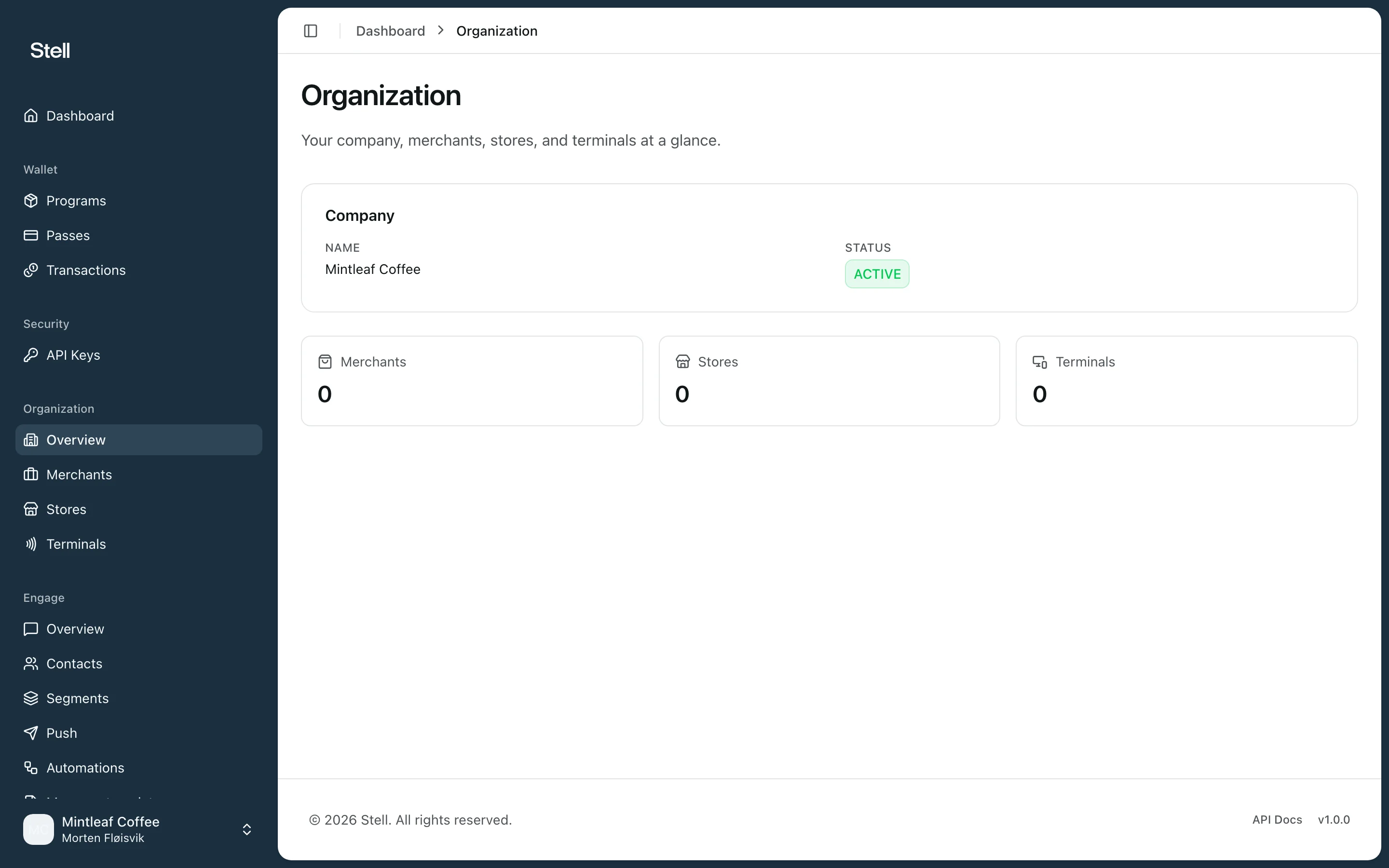
The **Organization** section shows how your company is set up in Stell: the merchants that make up your organization, their stores, and the terminals registered at each store.
 This section is **read-only**, and like Engage it's an optional module — if you don't see Organization in your sidebar, it isn't enabled for your company. Changes to merchants, stores, or terminals are made by Stell — [contact support](/support/contact) to request them.
## How it fits together
```
Company
└── Merchants — the businesses in your organization
└── Stores — physical locations
└── Terminals — the tap points where passes are used
```
A **terminal** is the registered tap point that produces [transactions](/transactions/overview) — it may be connected to physical NFC readers or a payment terminal, but in the portal you see the registered terminal itself.
## What you can look up
* **Overview** — your company details and counts of merchants, stores, and terminals.
* **Merchants** — each merchant's status, location, and its stores.
* **Stores** — every store across your merchants, with address and contact details, and the terminals registered there.
* **Terminals** — each terminal's status, serial number, and home store.
These pages are most useful when you're investigating a transaction: the [transaction detail](/transactions/overview) links straight to the store and terminal involved.
This section is **read-only**, and like Engage it's an optional module — if you don't see Organization in your sidebar, it isn't enabled for your company. Changes to merchants, stores, or terminals are made by Stell — [contact support](/support/contact) to request them.
## How it fits together
```
Company
└── Merchants — the businesses in your organization
└── Stores — physical locations
└── Terminals — the tap points where passes are used
```
A **terminal** is the registered tap point that produces [transactions](/transactions/overview) — it may be connected to physical NFC readers or a payment terminal, but in the portal you see the registered terminal itself.
## What you can look up
* **Overview** — your company details and counts of merchants, stores, and terminals.
* **Merchants** — each merchant's status, location, and its stores.
* **Stores** — every store across your merchants, with address and contact details, and the terminals registered there.
* **Terminals** — each terminal's status, serial number, and home store.
These pages are most useful when you're investigating a transaction: the [transaction detail](/transactions/overview) links straight to the store and terminal involved.