> ## Documentation Index
> Fetch the complete documentation index at: https://docs.getstell.com/llms.txt
> Use this file to discover all available pages before exploring further.
# Engage
> Reach your customers with campaigns, automations, and notifications
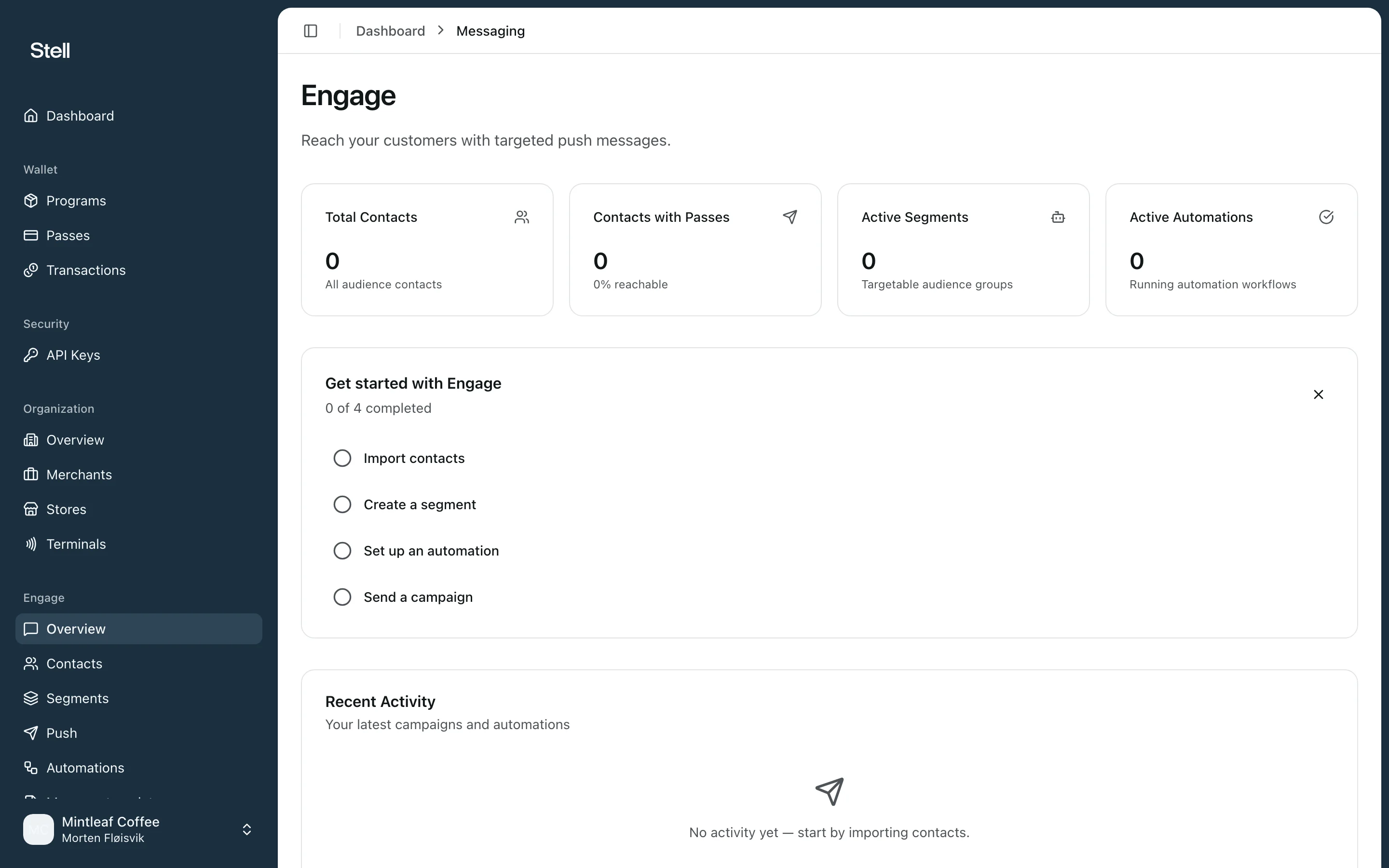
**Engage** is the messaging side of the portal: push notifications delivered straight to the wallet passes your customers already carry. No app, no SMS costs — the message lands on their lock screen through the pass.
 Engage is an optional module. If you don't see it in your sidebar, it isn't enabled for your company — [contact support](/support/contact) to get started.
## What's in Engage
| Page | What it's for |
| --------------------- | --------------------------------------------------------------------------------------------------------------- |
| **Overview** | Your Engage dashboard: total contacts, active segments, active automations, sent campaigns, and recent activity |
| **Contacts** | The customers you can message — see [contacts and segments](/engage/contacts-and-segments) |
| **Segments** | Audience groups for targeting — see [contacts and segments](/engage/contacts-and-segments) |
| **Push** | Send a one-off message to an audience — see [campaigns](/engage/campaigns) |
| **Automations** | Messages that send themselves when something happens, like a birthday — see [automations](/engage/automations) |
| **Message templates** | Ready-made messages to start from — see [message templates](/engage/templates) |
| **Notifications** | The history of everything sent — see [notification history](/engage/notifications) |
## How a message reaches a customer
A push notification can only reach customers who have your pass **installed in their wallet**. When you pick an audience, the portal shows the **estimated reach** — how many of the targeted contacts can actually receive the message — so there are no surprises at send time.
## Where to start
If this is your first time in Engage, send yourself a test: [create a campaign](/engage/campaigns) targeted at a small segment, or start from a [message template](/engage/templates).
Engage is an optional module. If you don't see it in your sidebar, it isn't enabled for your company — [contact support](/support/contact) to get started.
## What's in Engage
| Page | What it's for |
| --------------------- | --------------------------------------------------------------------------------------------------------------- |
| **Overview** | Your Engage dashboard: total contacts, active segments, active automations, sent campaigns, and recent activity |
| **Contacts** | The customers you can message — see [contacts and segments](/engage/contacts-and-segments) |
| **Segments** | Audience groups for targeting — see [contacts and segments](/engage/contacts-and-segments) |
| **Push** | Send a one-off message to an audience — see [campaigns](/engage/campaigns) |
| **Automations** | Messages that send themselves when something happens, like a birthday — see [automations](/engage/automations) |
| **Message templates** | Ready-made messages to start from — see [message templates](/engage/templates) |
| **Notifications** | The history of everything sent — see [notification history](/engage/notifications) |
## How a message reaches a customer
A push notification can only reach customers who have your pass **installed in their wallet**. When you pick an audience, the portal shows the **estimated reach** — how many of the targeted contacts can actually receive the message — so there are no surprises at send time.
## Where to start
If this is your first time in Engage, send yourself a test: [create a campaign](/engage/campaigns) targeted at a small segment, or start from a [message template](/engage/templates).